
Build Your First Workflow
Create and execute a workflow in 10 minutes
Learn by building a simple greeting workflow with parameters and validation.
What You’ll Build
Section titled “What You’ll Build”A workflow that accepts a name and returns a personalized greeting.
Prerequisites
Section titled “Prerequisites”- Installation complete
- Text editor (VS Code recommended)
Create the Workflow
Section titled “Create the Workflow”-
Open the Code Editor from the header.
-
Create a new file called
hello_world.py: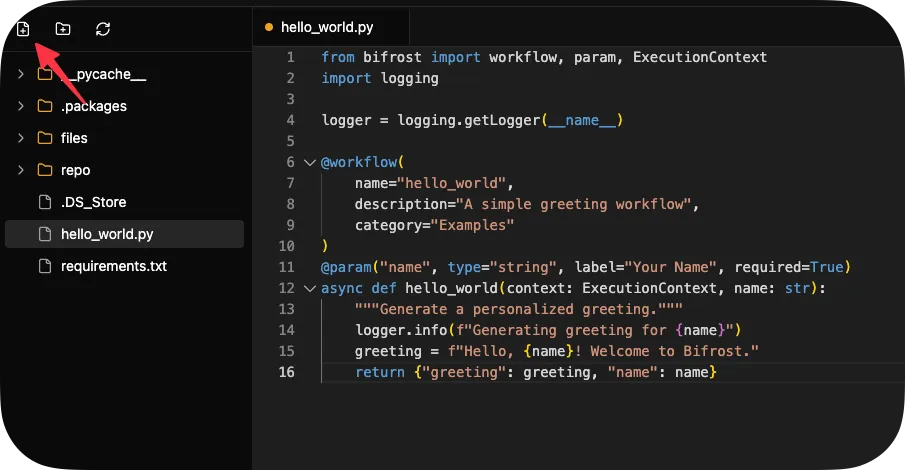 from bifrost import workflowimport logginglogger = logging.getLogger(__name__)@workflow(category="Examples")async def hello_world(name: str):"""A simple greeting workflow."""logger.info(f"Generating greeting for {name}")greeting = f"Hello, {name}! Welcome to Bifrost."return {"greeting": greeting, "name": name}
Note how the decorator infers:
- name:
"hello_world"from the function name - description:
"A simple greeting workflow."from the docstring - parameters:
name(required string) from the function signature
- name:
-
Hit
CTRL/CMD + Sto save. -
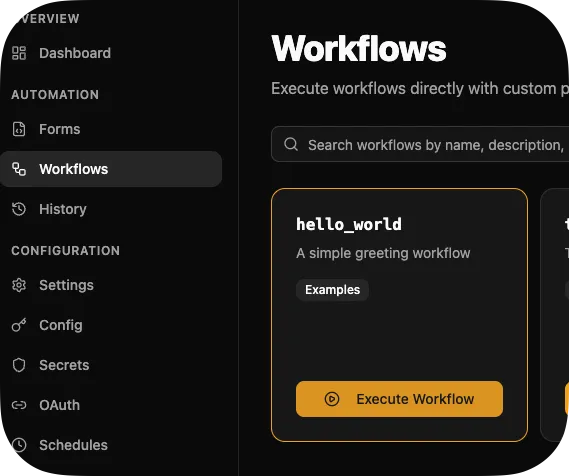
Navigate to Workflows → Examples → Hello World
-
Click Execute, enter your name, and click Run
Expected Result
Section titled “Expected Result”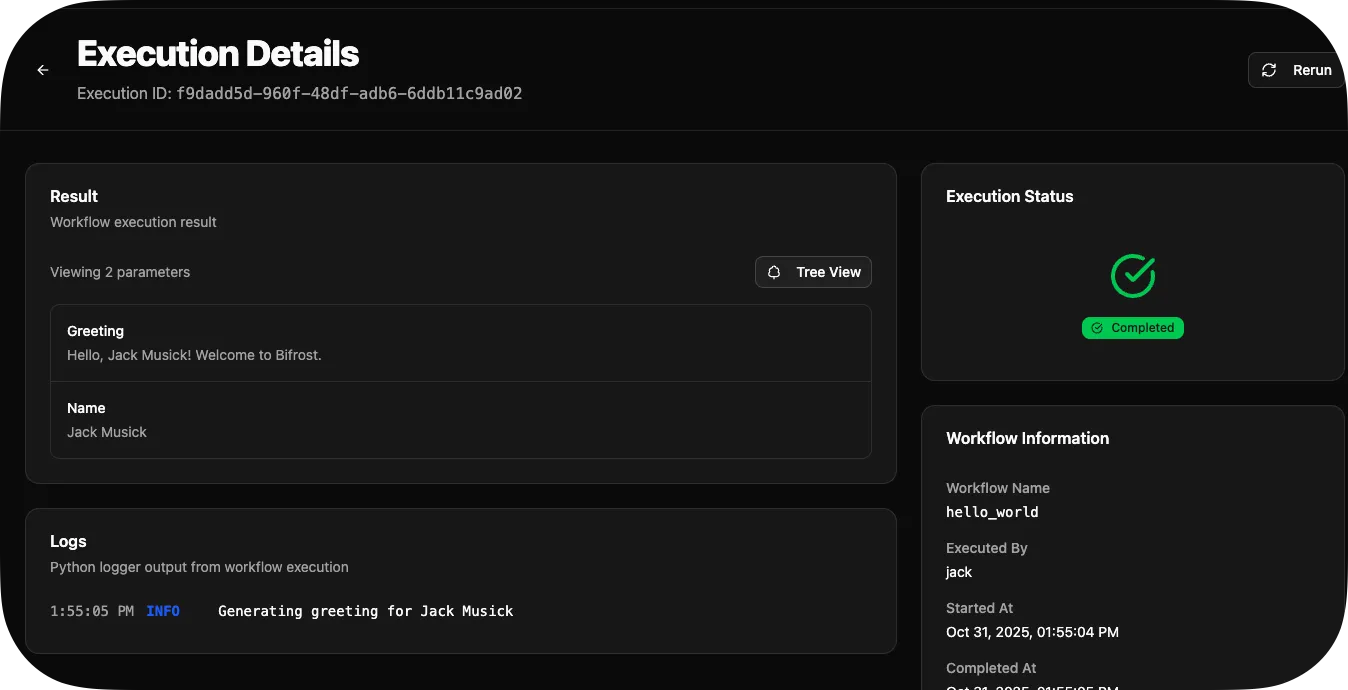
{ "greeting": "Hello, Alice! Welcome to Bifrost.", "name": "Alice"}View Execution Logs
Section titled “View Execution Logs”Navigate to Executions to see all runs with logs and results.
Next Steps
Section titled “Next Steps”- Writing Workflows Guide - Full workflow reference
- Using Decorators - Advanced decorator features
- Create Dynamic Forms - Build UI for your workflows