
Permissions & Roles
How access control works across forms, workflows, agents, apps, and admin surfaces.
Bifrost gates every executable surface — forms, workflows, agents, and apps — with the same two-axis model: an access_level column on the entity and an optional roles binding. Tables, knowledge, integrations, and other admin surfaces are platform-admin-only by default and follow a separate model described at the bottom of this page.
The model in one paragraph
Section titled “The model in one paragraph”Every form, workflow, agent, and app stores an access_level enum and a list of roles. authenticated means any signed-in user can access it. role_based means the user must hold at least one of the bound roles, or be a platform admin. Roles are simple labels created in Settings → Roles and assigned to users — there is no PlatformAdmin or OrgUser synthetic role; platform-admin status is a column flag on the user, not a role string.
Forms control submission access via FormAccessLevel:
access_level | Who can submit |
|---|---|
authenticated | Any signed-in user in the org |
role_based | Users whose roles intersect the form’s roles list, plus platform admins |
role_based with an empty roles list collapses to “platform admin only” — useful for forms that should remain hidden until rolled out.
The picker UI lives on the form-edit screen:
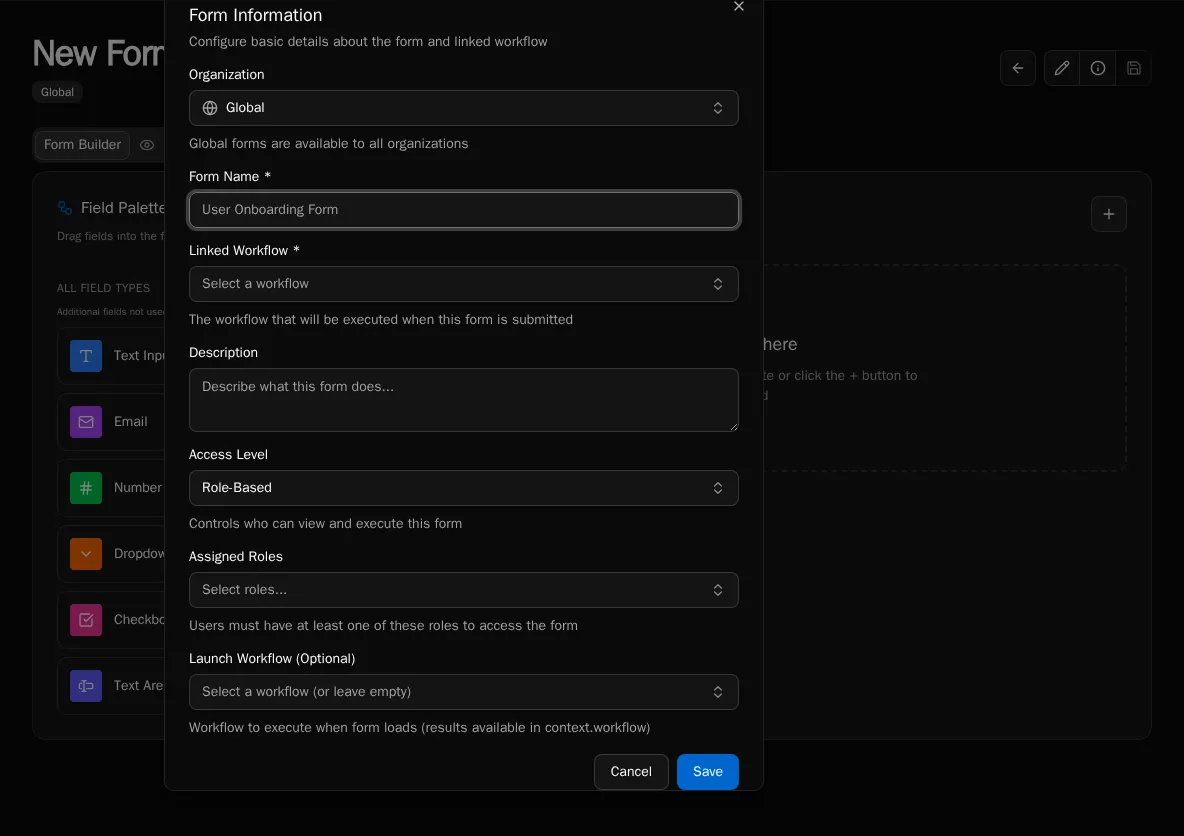
Because forms are the discovery surface for end users, this is the most common place a non-admin user encounters access control. Workflow access is enforced again at execution time, so a misconfigured form cannot escalate workflow privileges.
Workflows
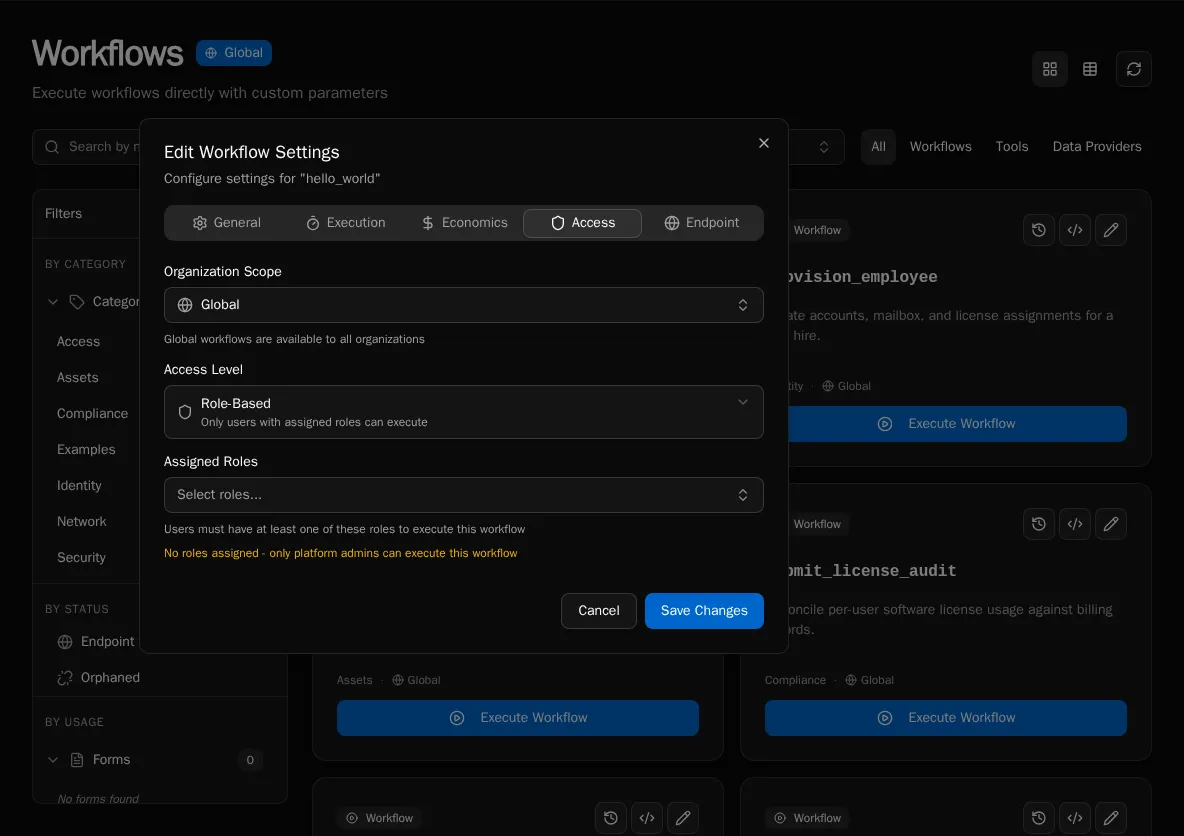
Section titled “Workflows”Workflows store access_level directly on the workflow record. The default for new workflows is authenticated, so registering a workflow without setting permissions makes it callable by every signed-in user of the org. Use role_based to restrict execution to specific roles.
You can also gate sensitive logic inside the workflow body using the execution context:
from bifrost import workflowfrom bifrost._execution_context import ExecutionContext
@workflow(name="delete_user", access_level="role_based")async def delete_user(context: ExecutionContext, user_id: str):    if not context.is_platform_admin:        raise PermissionError("Only platform admins can delete users")    # ...
context.is_platform_admin is a boolean on every execution context. access_level enforcement happens at the launch boundary; the in-body check is for second-line defense or for branching behavior on caller identity.
Agents
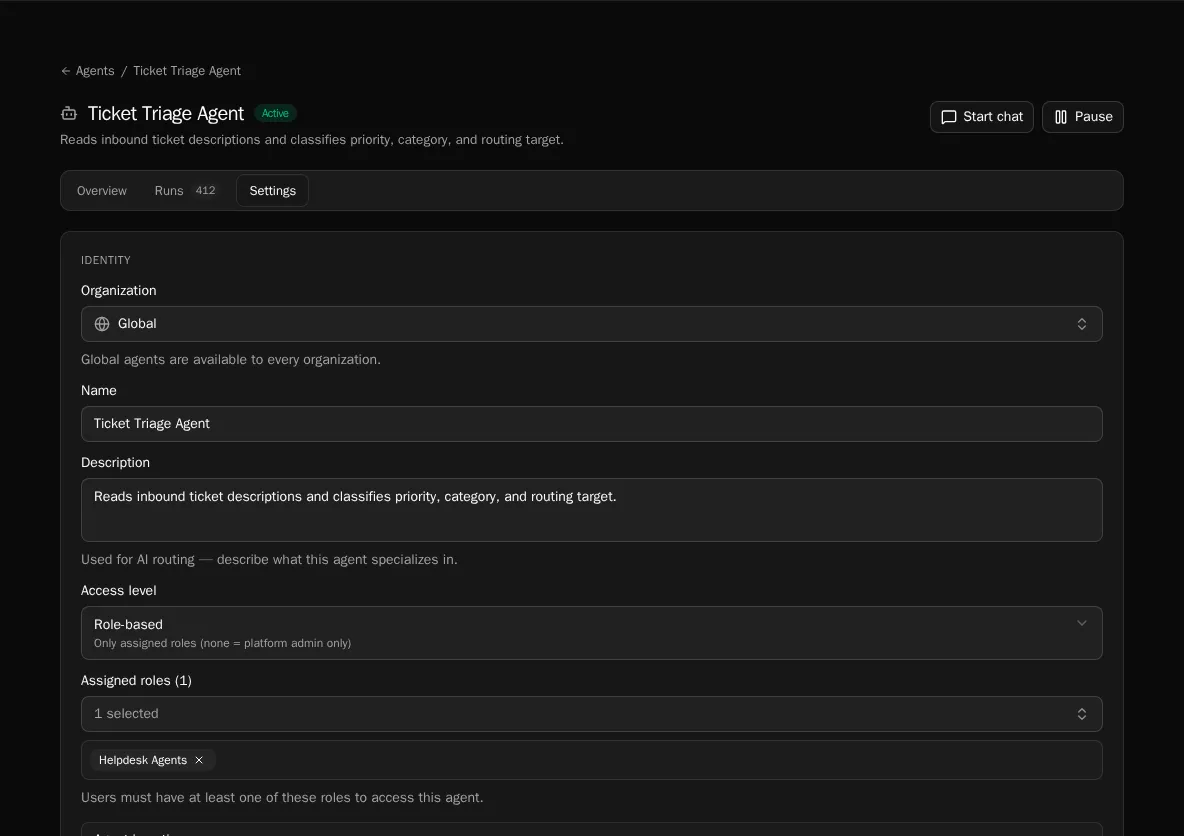
Section titled “Agents”Agents add a third value to the enum: private. The full set is:
access_level | Behavior |
|---|---|
authenticated | Any signed-in user can chat with the agent |
role_based | Visibility limited to users whose roles intersect the agent’s roles |
private | Hidden from user-facing surfaces; only callable by other agents (delegation) or by autonomous schedules |
When the platform resolves a chat request, agents whose access does not match are filtered out of the picker entirely — they’re invisible, not greyed out. Tools an agent can call are governed separately by the underlying workflow’s access_level.
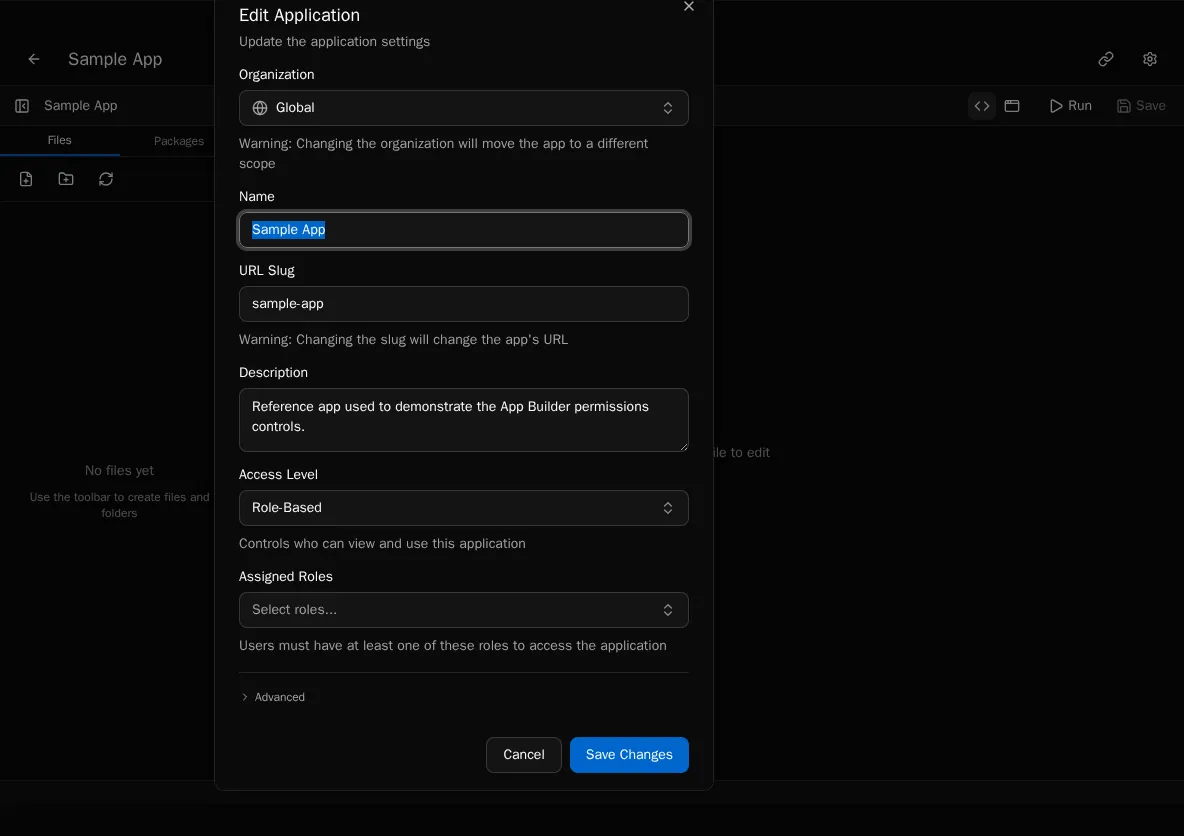
App access maps to the same enum forms use (authenticated or role_based) plus a roles list. App permissions gate rendering — a user without access to an app does not see it in the launcher or load its bundle.
Inside an app, use the platform useUser() hook or the <RequireRole> component to branch on role membership:
import { useUser, RequireRole, Button } from "bifrost";
export default function ExpensesApp() {    const user = useUser();
    return (        <div>            <h1>Welcome, {user.name}</h1>
            <RequireRole role="Finance">                <Button onClick={() => approveAll()}>Approve all pending</Button>            </RequireRole>
            {user.hasRole("Admin") && <SettingsLink />}        </div>    );}
user.roles is a string[] of role names. user.hasRole(name) returns a boolean. <RequireRole> renders its children only when the user holds the named role and accepts an optional fallback prop.
Backend access is unaffected: an app calling a workflow still goes through the workflow’s access_level check.
Tables, Knowledge, Integrations
Section titled “Tables, Knowledge, Integrations”These surfaces do not carry a per-entity access_level. They are managed in Settings by platform admins, and the SDK exposes them read/write to any workflow or app the calling user can already reach. Per-org isolation is enforced through scope (see Scopes), not through role bindings.
If you need per-role data partitioning inside a table, model it in the workflow logic that reads the table — there is no row-level RBAC at the platform layer.
Best practices
Section titled “Best practices”- Start with
authenticated. Addrole_basedonly when an action is genuinely sensitive (deleting data, approving spend, viewing PII). - Use named roles from your org chart, not numbered or generic names.
Finance Approveris searchable;Group Ais not. - Keep the role count small. 3-5 roles works for most orgs. Adding a role per workflow becomes unmaintainable.
- Don’t rely on UI hiding alone. If a workflow truly must not run, set
access_level=role_basedon the workflow itself — gating the form is necessary but not sufficient. - Platform admins bypass
role_basedeverywhere. That’s intentional: admins must be able to debug. Useprivateon agents or in-bodyis_platform_adminchecks if you need to surface that someone is acting as admin.