
Scheduled (Deferred) Executions
Schedule a one-time future execution of a workflow or form, then cancel it before it runs.
A scheduled execution is a one-time run of a workflow or form that you defer to a future moment. It’s distinct from a cron-scheduled workflow — cron schedules fire repeatedly forever; deferred executions fire once, then they’re done.
Use deferred executions for things like:
- “Disable this user account on Friday at 5 PM”
- “Send the customer their renewal email in 30 days”
- “Run this clean-up workflow tomorrow morning before the team comes in”
Schedule from the UI
Section titled “Schedule from the UI”The Schedule for later checkbox appears wherever you’d normally hit Run Now — the Execute Workflow dialog and the Form Run view both surface it.
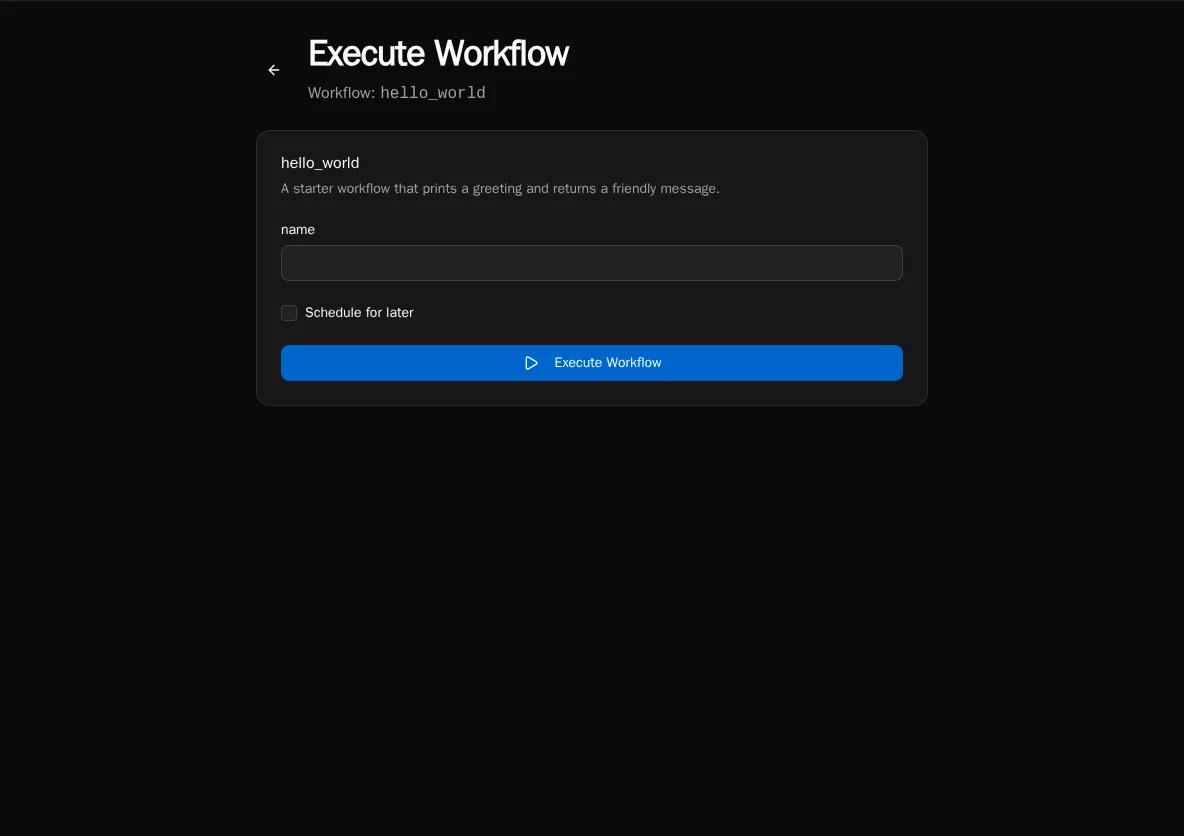
Tick the box and you get two ways to pick the time:
- Quick picks —
In 15 min,In 1 hour,In 4 hours,Tomorrow 9 AM(uses the browser’s local clock for the 9 AM target, sent as an absolute UTC instant). - Specific time picker — date + time picker for anything else. Minimum is 1 minute in the future; maximum is 1 year out.
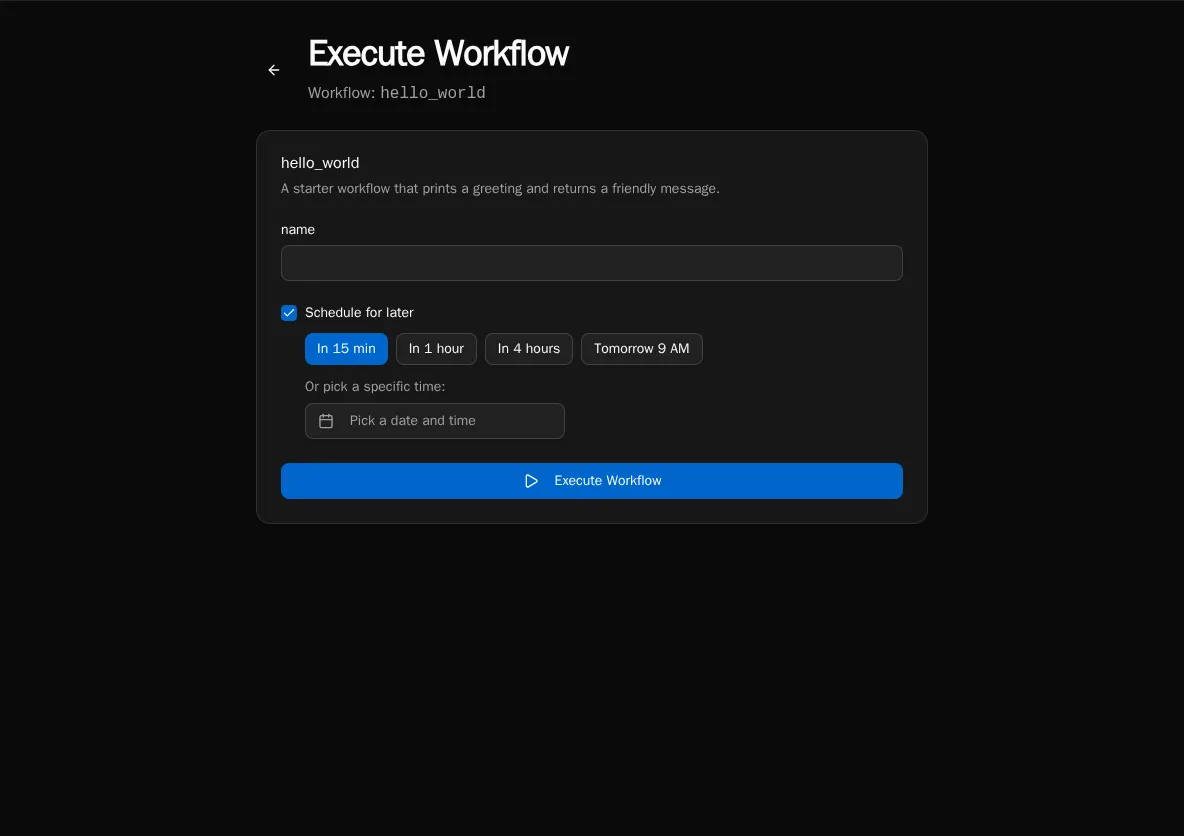
If you pick a time in the past (say you fiddle with the picker), the form shows a Time is in the past error and the submit button is disabled.
Click Schedule and the row is created in SCHEDULED status — it appears in Execution History with a Scheduled badge and the future timestamp.
How it works
Section titled “How it works”Two pieces cooperate:
- Submit → API creates a
SCHEDULEDrow in theexecutionstable withscheduled_atset; nothing is enqueued yet. - Promoter → the scheduler service runs a deferred-execution promoter every 60 seconds. It scans for
SCHEDULEDrows whosescheduled_athas passed, flips them toPENDINGin a status-guarded UPDATE, and enqueues them on RabbitMQ. Workers pick them up like any other execution.
The 60-second tick means a job scheduled for 12:00:00 may actually start anywhere from 12:00:00 to 12:00:59. Plan accordingly — this is not a real-time scheduler.
Cancel a scheduled execution
Section titled “Cancel a scheduled execution”While a row is still in SCHEDULED status (i.e. before the promoter has flipped it), you can cancel it. From Execution History, click the row and use the Cancel action — or hit the API directly:
curl -X POST -H "Authorization: Bearer $TOKEN" \ "$BIFROST_URL/api/executions/{execution_id}/cancel"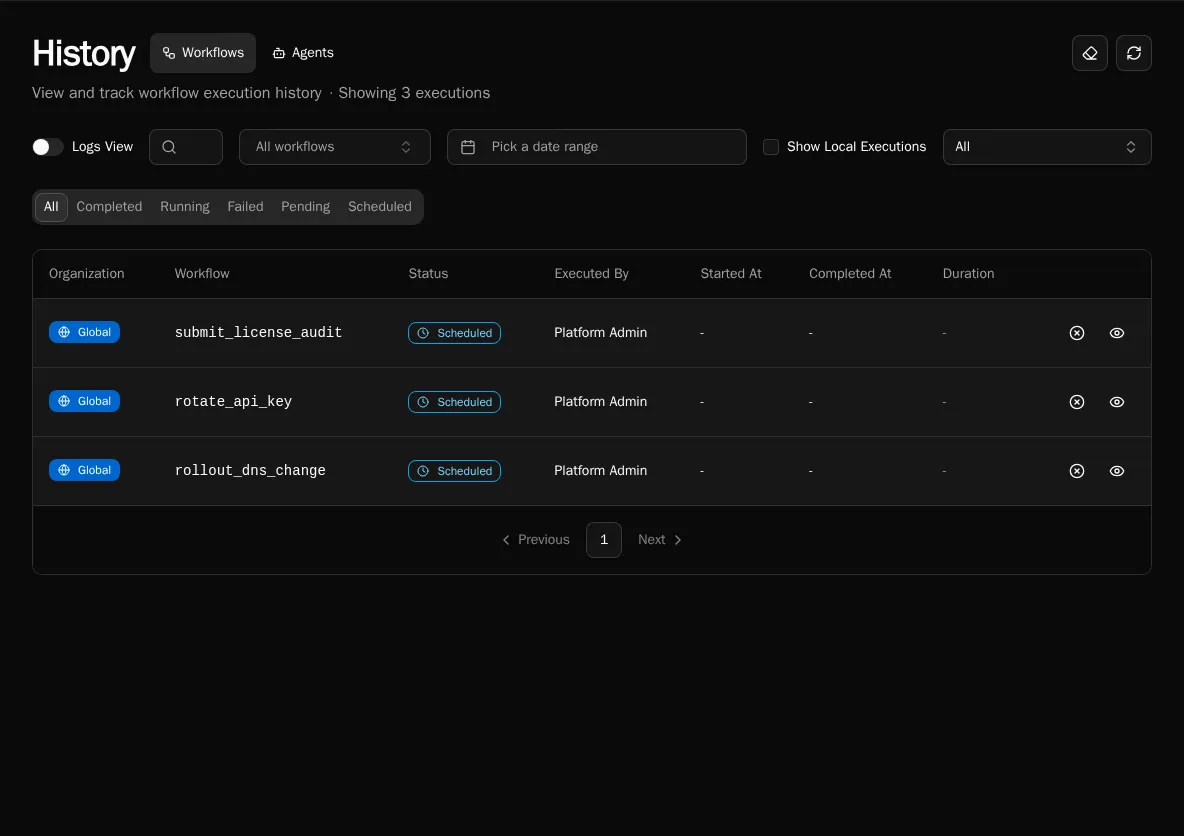
The cancel endpoint uses a status-guarded UPDATE: it only succeeds if the row is still SCHEDULED. If the promoter beat you to it (the row is already PENDING or RUNNING), you get 409 Conflict back with the current status. Cancelling a RUNNING execution is a separate feature and is not what this endpoint does.
Authorization: the original submitter or a platform admin can cancel. Org-scoped rows must match the caller’s org.
Schedule from the API
Section titled “Schedule from the API”The same /api/workflows/{id}/execute endpoint that runs a workflow now also accepts a schedule payload:
{ "input": { "ticket_id": "T-123" }, "schedule": { "delay_seconds": 3600 }}Or with an absolute time:
{ "input": { "ticket_id": "T-123" }, "schedule": { "scheduled_at": "2026-12-31T17:00:00Z" }}Pick exactly one of delay_seconds (positive int, capped at 1 year) or scheduled_at (ISO-8601 UTC). The response is the created execution row in SCHEDULED status.
Differences from cron schedules
Section titled “Differences from cron schedules”| Scheduled execution | Cron schedule | |
|---|---|---|
| Fires | Once | Repeatedly |
| Defined where | Per submission (UI / API) | On the workflow definition (@workflow(schedule="...")) |
| Cancellable per occurrence | Yes — /api/executions/{id}/cancel | No (disable the schedule entirely) |
| Status | SCHEDULED → PENDING → … | PENDING → … (no SCHEDULED step) |
| Visible in Execution History | Yes, with the Scheduled badge before it fires | Each run appears as a normal execution at fire time |
If you want a cron-style recurring run, see Scheduled Workflows instead.
Caveats
Section titled “Caveats”- Restarts are fine.
SCHEDULEDrows live in Postgres, not in memory or in RabbitMQ. Restarting the scheduler or worker pods doesn’t lose them. - Time zone: the API stores
scheduled_atas UTC. The UI’sTomorrow 9 AMquick-pick computes 9 AM in your browser’s local clock and converts to UTC at submit time. - Granularity: the promoter polls every 60 seconds. Don’t rely on second-level precision.
- No retroactive runs. If
scheduled_atis already in the past at submit time, the API rejects with 400. (The UI prevents this with the Time is in the past error.)
See also
Section titled “See also”- Scheduled Workflows — recurring cron schedules
- Diagnostics — confirm the scheduler is alive