
Install a Solution
Install a packaged Bifrost Solution into an org or globally — from a workspace zip or a git repo.
Install a packaged Solution from a workspace zip on the command line, or from a git repository through the Solutions catalog. A Solution installs as a single, lifecycle-aware unit: its entities are read-only in the target environment and update via deploy or auto-pull.
Install from a zip
Section titled “Install from a zip”-
Get the Solution zip (an author’s
bifrost solution exportoutput) onto a machine where you’re authenticated with the CLI (bifrost login). -
Install it into your own org:
Terminal window bifrost solution install ./my-solution-1.2.0.zipWith no org flag, the install targets the org you’re logged in as.
-
To target a different scope, pass an org flag:
Terminal window bifrost solution install ./my-solution-1.2.0.zip --org "Acme Corp"bifrost solution install ./my-solution-1.2.0.zip --global--org <id|name>installs into that org;--globalinstalls globally. -
Supply any required config values with
--set KEY=VALUE(repeatable). They are applied atomically with the install:Terminal window bifrost solution install ./my-solution-1.2.0.zip \--set api_base_url=https://api.example.com \--set page_size=50
Full-backup zips
Section titled “Full-backup zips”A zip exported with --mode full carries an encrypted secrets blob (Fernet, password-protected). Supply the author’s password to decrypt it:
bifrost solution install ./my-solution-full.zip --password "$BACKUP_PASSWORD"A wrong password is rejected with a 422.
Resolving collisions
Section titled “Resolving collisions”If the zip carries config or table values that conflict with what’s already in the target, the install stops with a 409 naming the conflicting keys. Re-run with the matching override:
| Flag | Effect |
|---|---|
--replace-secrets | Overwrite existing config values that conflict with the zip’s secret values. |
--replace-data | Overwrite existing table rows that conflict with the zip’s data. |
Install from a git repo
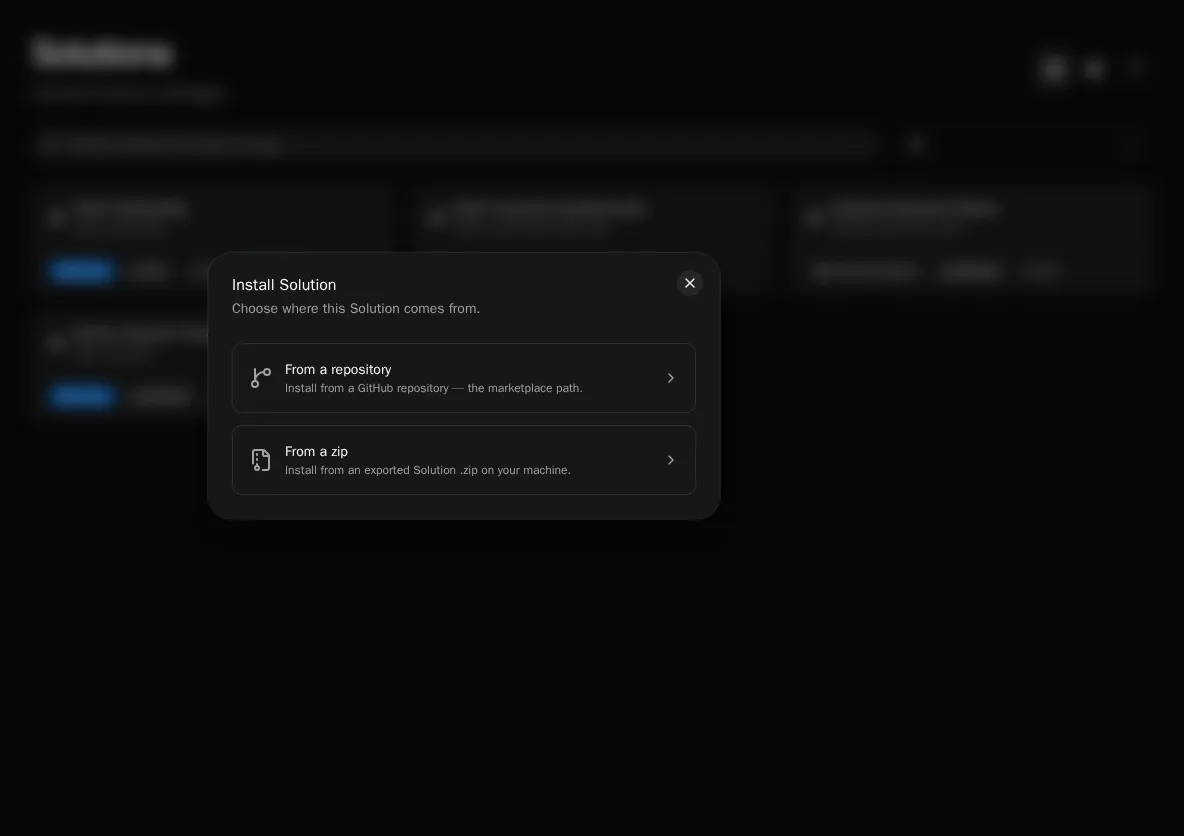
Section titled “Install from a git repo”A git-connected install is created through the Solutions catalog UI. Point it at a repository (optionally a subfolder and ref); Bifrost clones it, previews what it would create, and installs. A git-connected install is read-only and deploy is disabled for it — auto-pull from the repo is the only writer.
-
In the catalog, choose to install from a git repo and enter the repository URL. Optionally set a subfolder (for an omni-repo where the Solution lives under a subpath) and a ref (branch or tag).
-
Review the parse-only preview of what the Solution would create.
-
Confirm to install. Bifrost creates the git-connected install and deploys the repo’s current HEAD.
After installing
Section titled “After installing”- Missing roles referenced by the Solution are auto-created (empty — assign members to grant access).
- If the Solution declares required integrations, install surfaces the unmet connection needs. Complete them in the Setup wizard before the Solution is fully operational — see Connections & Setup.
- Solution-managed entities are read-only; editing one live returns a
409. Changes come from the author via deploy or, for git-connected installs, auto-pull.